How To Choose The Best Walking Pad
Walking Treadmill Buying Guide
Walking pads are a great option if you want to get more steps in at home without going for a full-size running treadmill. So, let’s look at what actually matters when buying one.
Summary and Chapter Links
Why Buy a Walking Pad?
I’d mainly consider a walking pad if walking is the priority and you want something compact. They’re particularly useful for:
- Home workers wanting to walk underneath a standing desk.
- Increasing your daily steps without heading outdoors.
- Walking while watching TV or listening to a podcast.
- Smaller homes where a full-size treadmill isn’t practical.
- Anyone who doesn’t need running speeds – there’s little point giving over half a room to a running treadmill if 6 km/h (3.7 mph) is as fast as you’ll ever go.
Who might a walking pad not suit? If you need solid handrails for support, want a particularly large walking area, are a heavier user who needs something more substantial or think you’ll progress to regular running, another type of treadmill may be a better fit.
Walking Pad Specifications and Features to Consider
Folding or one-piece design
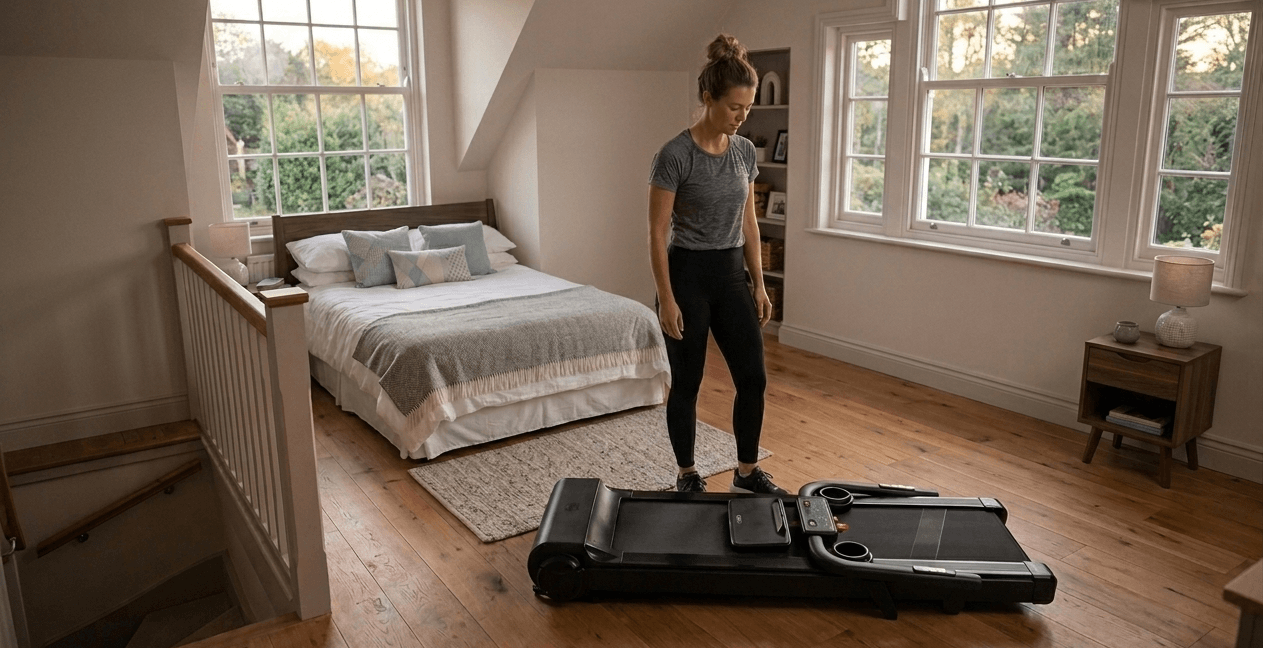
Some walking pads fold across the middle of the deck, reducing their stored length and making them less bulky to manoeuvre.
The WalkingPad C2 illustrates the difference nicely – it reduces from around 144.5 cm (56.9 in) long when open to 82.5 cm (32.5 in) when folded.
Just remember that folding reduces bulk, not necessarily weight. That same machine still weighs around 25 kg (55 lb).
A one-piece walking pad stays at its full length, but that doesn’t automatically make it difficult to store. If it’s slim enough and you’ve got sufficient clearance, it can still slide perfectly well underneath a bed or sofa.
Walking area
Compact walking pads tend to have smaller belts than conventional treadmills.
Around 120 x 40 cm (47.2 x 15.7 in) is a useful reference point for walking-only use, although I’d consider more room if you’re particularly tall, have a long stride or enjoy brisk fitness walking. I go into belt sizing properly in my treadmill buying guide
The main thing is not to assume the smallest belt will automatically be comfortable just because you aren’t running.
Maximum user weight
Walking pads vary considerably in user capacity, so always check the spec.
As with any treadmill, I wouldn’t buy something where you’re sitting right on the limit. If you weigh 108 kg and the machine is rated to 110 kg, technically you’re within specification – but I’d want more breathing room.
Motor suitability
Don’t assume the smallest motor will automatically suit you just because you’ll only be walking.
A heavier user walking for several hours while working is asking more of the machine than someone doing a short walk during each Coronation Street, so consider user weight, session length and total household usage as well as speed.
Suggested motor ratings and how body weight and usage affect the power you need in my main treadmill buying guide.
Maximum speed
A lot of dedicated walking pads top out around 6 km/h (3.7 mph), which is plenty if walking is genuinely all you intend to do. You’ll probably be considerably slower than this when working at a desk anyway.
If you enjoy particularly brisk fitness walking, look for a little more headroom. If you want jogging or running speeds, I’d look at a 2-in-1 treadmill which is covered later.
Incline
Incline has started appearing on some walking pads, but I wouldn’t describe it as a standard feature yet – many established models still don’t offer it.
That said, automatic incline walking pads do now exist. The UREVO SpaceWalk 5L is a good example, with a motorised 0-9% incline that can be adjusted electronically rather than having to prop the machine up manually.
I’d treat incline as an extra rather than something you should expect every walking pad to have. It’s useful for dedicated fitness walking because you can increase the intensity without needing more speed, but I’d put it much further down the shopping list for gentle under-desk use.
Controls
Walking pads don’t have a large console sitting in front of you, so how they’re controlled matters more than you might initially think.
Remote control
A handheld remote is normally the simplest way to start, stop and change speed on a walking pad. Very handy – just don’t lose it down the back of the sofa.
I’d also check whether there’s another way to operate the machine if the remote goes missing or stops working.
App control
Some walking pads can also be controlled through an app, which may provide extra settings and workout data.
Personally, I’d still want another way of controlling the basic functions. I wouldn’t want getting my morning steps in to depend entirely on whether my phone decides to connect.
FootSense™ control
FootSense™ adjusts the treadmill speed depending on where you’re positioned on the belt. Move towards the front and it speeds up, while moving towards the back slows it down.
The WalkingPad A1 Pro is a useful example because it combines FootSense™ with remote and app control rather than making you rely on one method.
It’s a clever feature, particularly for under-desk walking where you may not want to keep reaching for a remote.
Display and workout tracking
Walking pad displays are normally fairly simple, with speed, time, distance, calories and steps among the readouts you’ll commonly find.
If increasing your daily steps is the whole reason you’re buying one, make sure the machine actually counts them. It sounds obvious, but don’t assume every display does.
Practical Things to Consider Before Buying a Walking Pad
Machine weight and moving it
Walking pads might look nice and light in photos, with you envisaging throwing it under one arm to move it from room to room, but they are still fairly heavy!
Weights of around 20-30 kg (44-66 lb) are quite normal for walking pads. And although much lighter than a full-size treadmill, it is still a decent weight!
Built-in wheels help with moving it around, but you’ll still need to lift one end of the machine before those wheels become useful. So just double check the machine weight in the spec and make sure you feel comfortable lifting this.
💡 Tip: If you’re unsure what 20-30 kg feels like, try lifting something around the house of a similar weight. Then remember the walking pad will probably be far more awkwardly shaped.
Check the stored height
Whether it’s folding or one-piece, measure the space where the machine will actually be stored.
If it’s going underneath a bed or sofa, check the height of the machine against the clearance underneath the furniture.
Are walking pads quiet?
Walking pads are regularly described as “quiet”, “ultra quiet” or “whisper quiet”, but I’d look for an actual decibel (dB) rating if noise is particularly important to you.
Even then, a quiet motor doesn’t make your workouts silent. Your feet are still repeatedly landing on the belt, creating an inevitable thudding noise.
This is particularly worth thinking about if you plan to use it around others e.g. in a shared office or while watching TV with friends or family.
💡 Tip: A suitable equipment mat can protect the flooring and may help reduce some vibration.
Check your under-desk setup
Firstly, make sure you have a height-adjustable desk instead of a normal static desk. Unless you want to be bent over your computer while working and walking!
The pad’s deck raises you several centimetres off the floor, so check your standing desk still rises high enough for comfortable typing.
Also measure the space between the desk legs and any crossbars . Also work out where the power cable is going before you end up with an extension lead running across somewhere you need to walk, and to prevent the H&S brigade coming out in full force.
How long can you use it for?
There’s a big difference between 30 minutes in the evening and several hours throughout a working day.
Check whether the manufacturer publishes a recommended daily usage, weekly usage or maximum continuous session time.
If you’re planning substantial use, I would go for ones which are advertised as heavy-duty.
Check step, time and distance limits
Some displays have a maximum value before the step count, workout time or distance resets or stops.
Manufacturers don’t always publish these limits, so if you’re buying a walking pad specifically to clock up 10,000+ steps during the day and can’t find the answer in the specifications or manual, I’d contact customer service before buying.
Warranty, UK support and spare parts
Check the warranty and who you’re actually dealing with if something goes wrong.
With walking pads, I’d particularly want to know whether you can obtain replacement items such as a remote control, along with more conventional service parts.
What if a walking pad isn’t quite enough?
If you like the compact nature of a walking pad but think you may eventually want to jog or run, a 2-in-1 treadmill/hybrid walking pad may be worth considering.
These normally add a folding handrail or upper frame. The WalkingPad R2, for example, allows higher speeds with the handrail raised. The trade-off is extra bulk and weight.
Walking Pad Buying Checklist
| Ask yourself | What to check |
|---|---|
| Is the walking area and user-weight limit suitable for me? | Check belt size and leave a sensible margin below the maximum user weight |
| Can the machine handle how long and how often I’ll use it? | Consider your weight, motor suitability and any stated usage limits |
| Will it fit underneath my desk and where I plan to store it? | Measure the operating dimensions, stored dimensions and furniture clearance |
| Can I comfortably move it as often as I need to? | Check the actual weight, bulk and how the transport wheels work |
| Does it have the speed, incline, controls and tracking I need? | Focus on the features you’ll genuinely use |
| Will noise and vibration be acceptable in that room? | Look for a dB figure where available and consider the flooring and room below |
| What support is available if something goes wrong? | Check the warranty, UK support and availability of replacement remotes and parts |
Walking pads may look simple, but the best one isn’t necessarily the smallest or cheapest. Get the user capacity, walking area, motor suitability, weight and intended usage right first, then worry about the extras.
FAQ
Do walking pads need maintenance?
Yes. This normally involves basic cleaning, belt/deck lubrication where required and checking belt alignment. Follow the maintenance instructions for your particular model.
Can you use a walking pad on carpet?
Potentially, but check the manufacturer’s instructions. Thick carpet can affect how the machine sits and may restrict airflow underneath, so a suitable equipment mat may be worth using.
Do walking pads use much electricity?
It varies by machine, speed, user weight and how long you use it. If running costs are important, check the rated electrical power rather than relying on a generic estimate.
Do all walking pads have a safety key?
No. Some rely on a remote, app or another stopping system instead, so check how you can quickly stop the belt before buying.
Can more than one person use the same walking pad?
Yes, provided it’s suitable for everyone. Base the specification on the heaviest user and remember to factor in everyone’s combined usage.
What is the difference between a treadmill and a walking pad?
A walking pad is essentially a compact treadmill designed mainly for walking, usually with a lower maximum speed, smaller footprint and no large console or fixed handrails. A conventional treadmill is generally bigger and heavier, with higher speeds, a larger running area and more features, making it better suited to jogging and running as well as walking.
Author: Ian Smith For the past five years I’ve worked in marketing for one of the UK’s leading fitness equipment brands. During this time I’ve learnt a thing or two about fitness equipment: what’s out there and commonly asked customer questions. I also regularly used the equipment myself and would help test out new products. LinkedIn profile